Field Force Management Software: Features, Benefits and Business Uses
In short: Field force management software connects attendance, live location, customer visits, orders, payments and tasks for employees who work outside the office, in one phone app and one manager dashboard. It replaces calls, WhatsApp updates and spreadsheets. GeoWave by Aptivix is free for up to 5 people and ₹249 per user a month on Business.
Managing employees who work outside the office is one of the hardest jobs in a growing business. Sales reps travel between retailers, service engineers go from one installation to the next, collection executives chase outstanding payments, and supervisors try to coordinate all of it across several sites.
Imagine 50 people in the field across different cities. Who has actually reached the customer? Were today's planned visits completed? How many orders were booked, and how much money was collected? Which tasks are overdue? How much of the day went on travel?
In most Indian businesses those answers still come from phone calls, WhatsApp groups, Excel sheets and a daily report someone types up at 8 pm. That works for five people. At fifty, the office is always a day behind the field, and nobody can prove anything when there's a dispute.
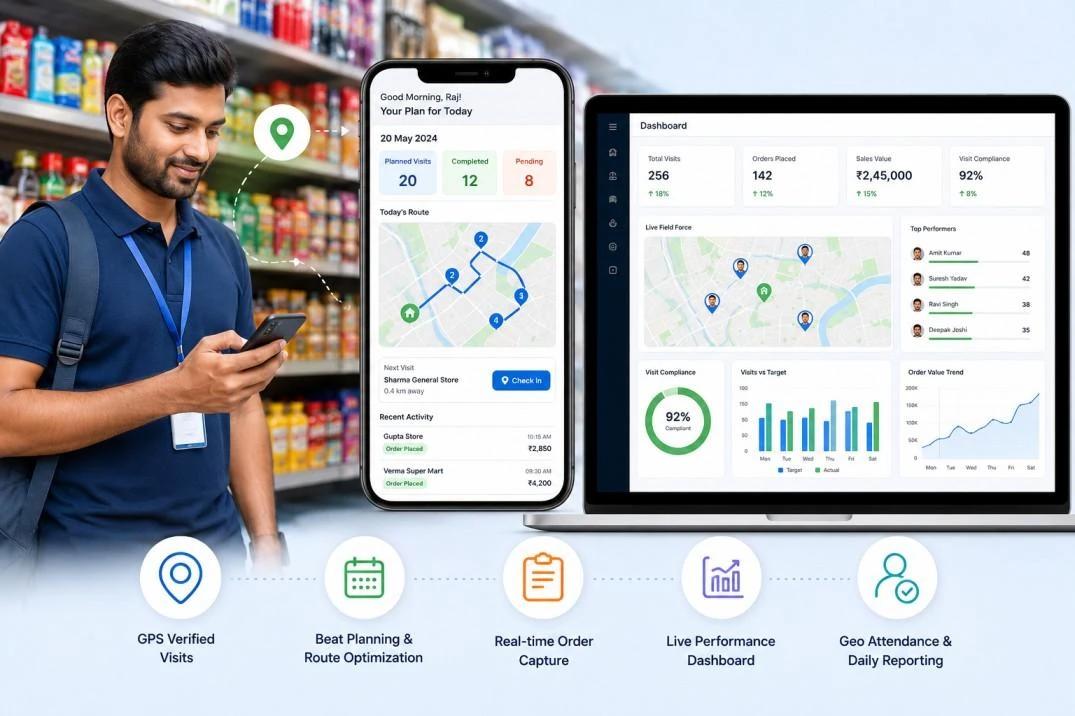
Field force management software closes that gap. It puts attendance, location, customer visits, orders, payments and tasks into one mobile app for the team and one dashboard for managers.
What Is Field Force Management Software?
Field force management software is a mobile and web platform for running the people and the work that happen outside a central office. Employees use a phone app to check in, see their visits and tasks, and record what they did; managers see it all on a web dashboard.
Depending on the product, it can include:
- GPS and selfie attendance.
- Live location of the team while they're on shift.
- Geofencing around offices, warehouses and customer sites.
- Customer visits and beat (route) planning.
- Order booking from a product list.
- Payment collection records.
- Task assignment and follow-up.
- Travel and expense claims.
- Leave and shift management.
- Reports and analytics.
Employee Tracking App vs Field Force Management Software
The two terms get mixed up, and the difference decides what you should buy. A tracking app tells you where people are. Field force management connects where they are with what they did for the business.
| Employee tracking app | Field force management software | |
|---|---|---|
| Main question it answers | Where is my team, and did they turn up? | What did my team get done, and what did it bring in? |
| Core features | GPS attendance, live map, geofences, leave, shifts | All of that, plus visits, beat plans, orders, collections and expenses |
| Best for | Service, security, facility and project teams | Sales and distribution teams who take orders and collect money |
| What the office gets | A payroll-ready attendance record | Attendance plus orders, collections and coverage reports |
If your field team doesn't take orders or collect money, a tracking and attendance app is enough. If they do, buy for the whole workflow from the start, so you don't end up running two apps.
Why Phone Calls, WhatsApp and Excel Stop Working
Manual attendance creates work, and disputes
A "GM sir" message proves someone woke up, not that they reached the territory. Registers and spreadsheets need checking by hand, and a biometric machine at the office is useless for people who start their day at a customer's shop.
Managers can't see the day as it happens
Without a shared dashboard, a manager's only tool is the phone. Client escalations get answered with "let me check and call you back".
Customer coverage can't be measured
A sales team may cover hundreds of outlets. Without visit plans and visit records, some shops get visited every day and others are forgotten for a month, and nobody notices until sales drop.
Orders and payments sit in different places
One visit can produce an order on WhatsApp, a payment on a paper receipt and a note in someone's diary. Reconciling them at month-end is slow, and money that was collected but not recorded is a real risk.
Reporting eats selling time
Reps and supervisors spend the evening writing reports instead of talking to customers.
Essential Features of a Modern Field Force Management System
GPS and selfie attendance
Employees check in from wherever the day starts: the office, a customer site or the road. A selfie with live GPS coordinates and the time shows that one specific person was in one specific place, which is much harder to fake than a message or a button.
Live team location
Authorised managers see where each active employee is, with the day turned into stops and trips. That makes it possible to send the nearest person to an urgent job and to see real field coverage.
Geofencing
Geofences are virtual boundaries around offices, warehouses, customer sites and project locations. Depending on the setup, they show who is inside a site or only allow check-in at approved locations.
Beat planning and customer visits
Beat planning assigns customers and routes to each rep for the week. Each visit can then record:
- Whether the planned visit happened, and when.
- Customer feedback, notes and photos.
- The outcome and the next follow-up date.
Order booking
Reps pick products from the company's list, enter quantities and pricing, and submit the order from the shop. The office sees it the same minute instead of the next morning.
Payment collection
Payments collected in the field are recorded with the mode, a reference and a receipt photo. Managers review them and finance verifies and reconciles them, so outstanding amounts are visible every day.
Tasks and follow-ups
Work is assigned with priorities and due dates, so managers can spot overdue jobs without ringing everyone.
Travel and expense claims
Claims are submitted from the app with photographed bills and go through manager approval. Where the business allows it, the recorded route can be used to calculate mileage at a set rate per kilometre.
Leave and shifts
Shifts, breaks, late marks, leave requests and approvals sit in the same app, so the attendance record and leave never contradict each other.
Reports and analytics
Attendance trends, coverage, completed visits, pending tasks, orders and collections come together in one place, and can be exported for payroll and finance.
How Field Force Management Software Works
- Set up the organisation: departments, teams, employees, shifts and settings.
- Onboard employees: they install the app and sign in with their mobile number.
- Record the field day: check in, follow assigned visits, update tasks, book orders and record collections.
- Manage centrally: managers review activity, approve requests and handle exceptions on the web dashboard.
- Decide with data: use the reports to fix coverage gaps, slow collections and attendance problems.
Which Industries Need Field Force Management Software?
| Industry | Typical field team | What they get most from it |
|---|---|---|
| FMCG and distribution | Sales reps visiting retailers and distributors | Beat plans, order booking, collections |
| Pharma | Medical representatives | Planned vs completed visits to doctors, clinics and chemists |
| Retail and consumer goods | Merchandisers and promoters | Store visit records with photos |
| Field service and maintenance | Technicians and engineers | Task allocation, visit proof, completion records |
| Logistics and delivery | Delivery and operations staff | Attendance, location and task records |
| Construction and infrastructure | Site supervisors and contractors | Geofenced site attendance |
| Security and facility management | Guards and housekeeping staff | Shift attendance at each client site |
| Real estate | Sales executives doing site visits | Visit records and follow-ups |
Benefits of Field Force Management Software
- Better visibility: managers see the field day without calling each person.
- Less admin: digital attendance, approvals and reports replace registers and spreadsheets.
- Better customer coverage: planned visits and recorded outcomes show which outlets are being missed.
- Faster orders: orders reach the office from the shop, not at the end of the day.
- Clearer collections: finance sees what was collected, by whom, and how.
- Accountability: attendance, activity and results sit in one record.
- Room to grow: adding a new territory or ten more reps doesn't add paperwork.
The results depend on adoption, on how well your processes are set up in the app, and on the quality of the data your team enters. Software doesn't fix a broken process by itself.
Employee Privacy and Responsible Location Tracking
Tracking has to be open and proportionate, not round-the-clock surveillance. Before you roll anything out, write down and share:
- What location data is collected.
- When tracking starts and stops.
- Who can see it.
- How long it's kept.
- How notices and consent are handled.
- Whether features like face verification are optional.
- How the data is protected.
A shift-based model, where location is recorded only between check-in and check-out, gives managers what they need while leaving employees' personal time alone. India's Digital Personal Data Protection Act, 2023 also applies to employee data, so have your policy checked against it and against your employment terms.
GeoWave: Field Force Management Software by Aptivix Technologies
GeoWave is the field force management platform we built at Aptivix Technologies for Indian businesses with teams spread across locations. It brings attendance, field visibility and sales activity into one product.
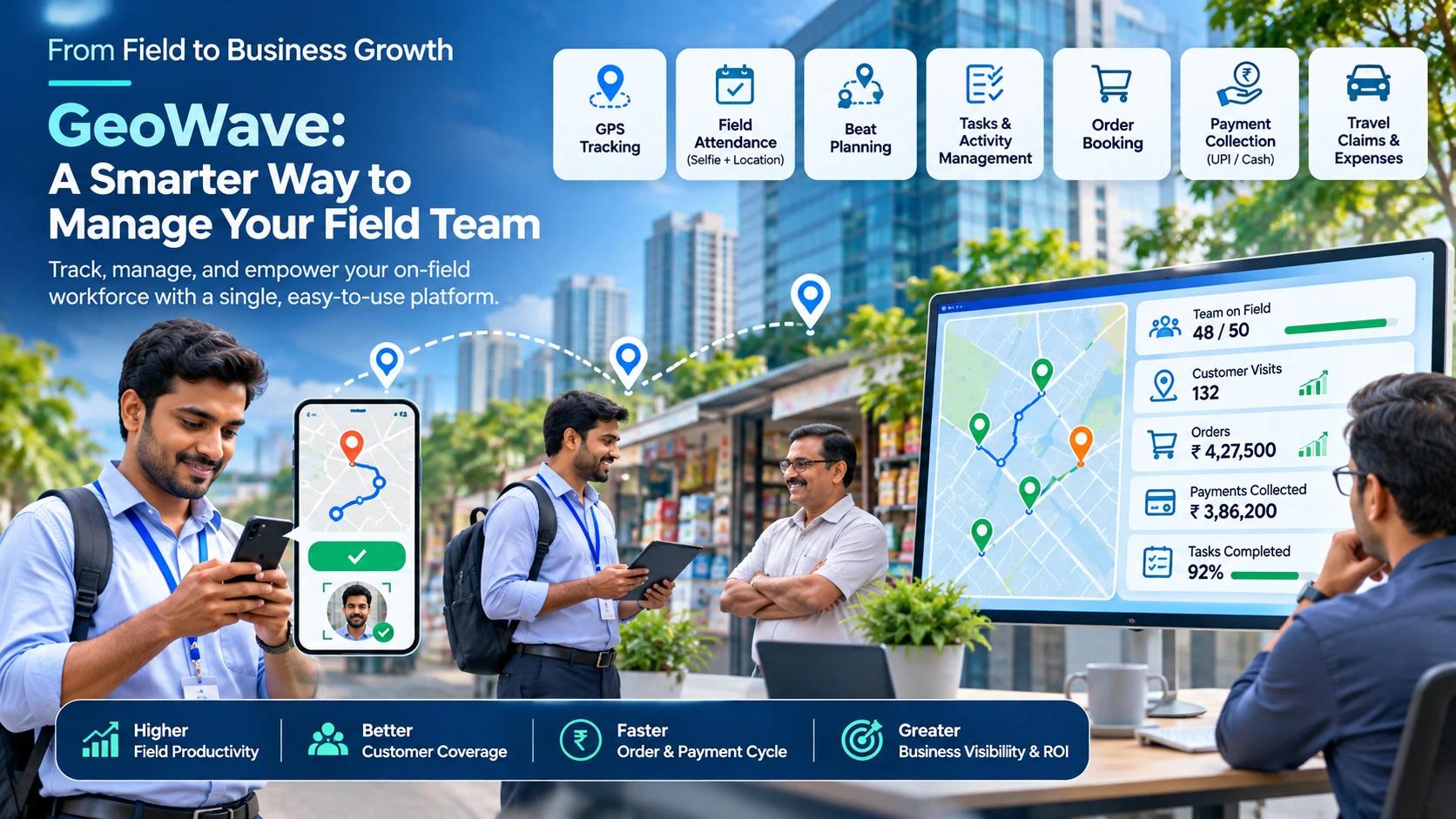
- GPS and selfie attendance, with optional face check that runs only with the employee's consent.
- Live team map, with location recorded only during the checked-in shift.
- Geofencing around offices and customer sites.
- Beat planning and customer visits.
- Order booking from your product list.
- Payment collection by cash, UPI or cheque, with reference and receipt photo.
- Tasks, including recurring tasks and approvals.
- Travel and expense claims, with mileage at your rate.
- Leave, shifts, breaks and late marking.
- Reports, dashboards and CSV export for payroll.
Employees use the Android or iPhone app on their own phones, with no extra hardware. Managers work on the web. If the network drops, the phone stores location points and uploads them when the connection returns. Read more on our GeoWave field employee tracking app page.
GeoWave pricing
| Plan | Price | Who it's for |
|---|---|---|
| Free | ₹0, up to 5 people, no card | Trying it with a pilot team |
| Business | ₹249 per user a month plus GST, or 15% off billed yearly | Growing teams; includes visits, orders, collections and expenses |
| Enterprise | Custom | Large teams that need unlimited history, branding or API access |
Prices as listed on geowave.co.in in November 2026. Check the site for current plans and inclusions.
How to Choose the Right Field Force Management Software
| What to check | Questions to ask |
|---|---|
| Mobile apps | Does it work on both Android and iPhone, on your team's actual phones? |
| Location tracking | How accurate and how often? Does it stop outside the shift? Does it survive battery savers? |
| Attendance | GPS, selfie, and is there a way to verify identity? |
| Customer visits | Can you plan beats and record visit outcomes? |
| Sales | Can reps book orders from your product list? |
| Collections | Are payments recorded with references and verified by finance? |
| Tasks | Assignment, priority, due dates and completion? |
| Reports | Dashboards plus exports your payroll and finance teams can use? |
| Security | Access controls and data protection? |
| Pricing | Is the per-user price published, and what does the free plan include? |
Whatever you pick, pilot it with five to ten real field employees for two weeks before rolling it out to everyone.
The Future of Field Workforce Management
Field software is moving from "where is everyone" to "what is the field doing for the business". The next steps are tighter links with ERP and CRM systems, smarter route and territory planning, AI-suggested visits, collection forecasts and automatic task allocation. The goal is to turn field data into decisions.
Conclusion
Phone calls, spreadsheets and a GPS dot on a map aren't enough to run a distributed team. You need one system that connects attendance, location, visits, tasks, orders, payments and reporting. Whether you run a distribution business, a pharma sales team, a service operation or a multi-site workforce, that connection is what brings coordination, accountability and visibility.